
Engineering & AI
VoiceStudio: text-to-speech, voice cloning and dubbing on your own machine
VoiceStudio runs speech and dubbing models on your own machine so you can compare voices without uploading audio to a cloud service.
Summary
- Generate a local voice-over sample to assess voice quality and speed before integrating it.
- An OpenAI-compatible API and MCP let AI agents and existing code use it as a voice service.
- The app is AGPL-3.0, but every model has its own licence; the default model, OmniVoice, is in the project's non-commercial group.
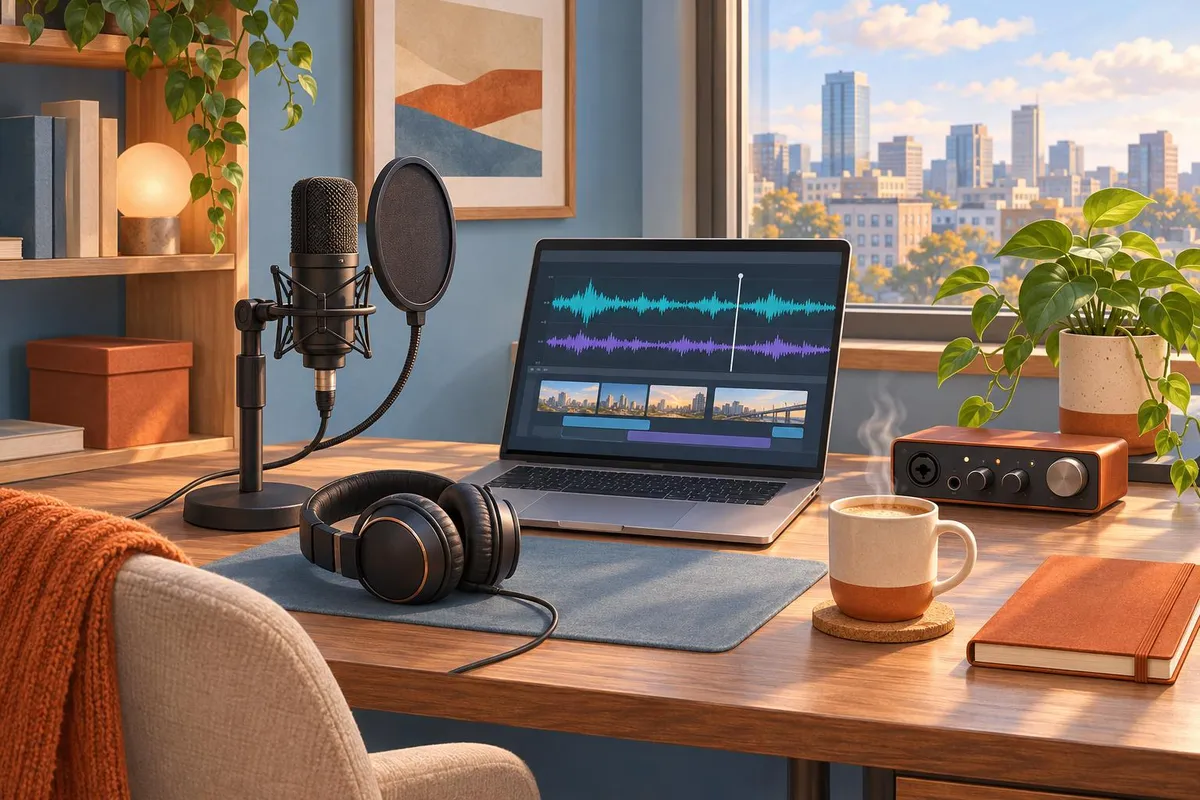
You need a voice-over from an internal script and want to keep the text on your own machine. VoiceStudio lets you make a short local sample, listen to the result, and check the model’s speed and licence before deciding whether to integrate it.
Based on the project's documentation, version v0.5.9-beta.6 (18 November 2026). HubCom has not used this tool in a client project.
What can VoiceStudio do on your machine?
- It does not build a new model. VoiceStudio brings existing models into one interface. OmniVoice is the default; dozens of other engines are in the Model Manager.
- Speech and voice cloning from a clean reference recording, or a new voice designed from a written description.
- Video dubbing: translates and re-voices a video, timed to the original.
- Transcription and dictation with local models; the project lists 646 languages.
- Audiobooks and queues: long narration and batches of jobs.
- Integration: a local OpenAI-compatible API (
/v1/audio/speech,/v1/audio/transcriptions), an MCP server for Claude Code and Cursor, and watch folders that process new files.
It runs on macOS 13.3+ (Apple Silicon), Windows 10/11 x64 (NVIDIA CUDA, optional AMD ROCm, CPU), Linux x64 and Docker.
When to use it
- Use it when your product reads text aloud, tells stories or narrates video, and you want the data to stay on your own servers.
- Use it to try many voice models in one place before choosing one for your product.
- Use it when your code already calls OpenAI's audio API: point it at VoiceStudio to try.
- Skip it when you have no suitable GPU and need speed; the project asks you to check the actual compute device rather than assume a GPU.
- Skip it for a commercial product until you have checked the licence of the model you will use.
Caveats
- The app's licence and the models' licences are separate. The app is AGPL-3.0, which allows commercial use under its terms. Models, voices and generated audio have their own licences, shown in the Model Manager.
- The default model, OmniVoice, is in the non-commercial group of VoiceStudio's licence inventory, with OmniVoice-GGUF, NLLB and Llama-OuteTTS. OmniVoice's source code is Apache-2.0, but the model weights' licence is a separate matter. Check it again for a commercial product, or choose another model.
- AGPL-3.0 applies to network use. If you modify VoiceStudio and let others use it over a network, you must publish your modified source. Have someone who knows the licence review it before building it into a service.
- Clone a voice only with its owner's consent. The project forbids impersonation and fraud.
- Releases move fast (beta, several a week). Pin a version in a product.
- Pro and Cloud are optional paid tiers. Pro is a closed build with a commercial licence for client work. Cloud, a hosted API, is not out yet.
Trial setup
Before handing it to an AI agent, prepare:
- The test machine: operating system, and GPU (NVIDIA, AMD, Apple Silicon) or CPU only.
- The job: speech, cloning, dubbing or transcription, and the languages.
- The purpose: internal use or a product sold to customers, to pick a model with the right licence.
- A reference recording if you clone a voice, with its owner's consent.
- How you will integrate: the OpenAI-compatible API from your app, or MCP for an AI agent.
Generate your first local voice-over
- Install the app with your platform's installer, or let an AI agent follow the project's
docs/install/agent.md. - Check the compute device the app detects: GPU or CPU.
- Choose a model in the Model Manager. The app asks before downloading; check each model's size and licence before agreeing.
- Try it in the interface with a short text and a built-in voice.
- Call the local API from code: point an OpenAI client at VoiceStudio's address.
- Connect MCP if an AI agent should generate speech or transcribe directly.
Common pitfalls
- Using the default model in a commercial product without reading its licence.
- Letting the AI agent accept model downloads or answer the analytics consent prompt. The project's agent guide says to ask the user.
- Cloning someone's voice without their written consent.
- Exposing the API to the internet without a key. The project's Docker example sets an API key and binds the port to
127.0.0.1; keep it that way unless you need outside access. - Installing the old Tauri app. The project moved to Electron; Tauri is no longer developed.
Is the setup ready to integrate?
- The app reports the right device (GPU or CPU).
- Generate a short voice-over in the app and listen for names and numbers. Time the run on the machine you plan to use. Repeat it through the API if you plan to integrate it.
- Every model in use has a licence that fits how you use it.
- The API is reachable only where you allow it, with an API key if exposed.
Out of scope
Quality comparisons between models, multi-GPU setups, the phone apps and the Cloud tier. See the project documentation.
Terms in this article (6)
- VoiceStudio
- An open-source local app that bundles voice models for speech, cloning, dubbing and transcription.
- TTS (text-to-speech)
- Turning text into spoken audio.
- Voice cloning
- Creating a new voice that sounds like a person from a reference recording of them.
- OmniVoice
- VoiceStudio's default speech model.
- AGPL-3.0
- An open-source licence; if you modify the software and let others use it over a network, you must publish your modified source.
- MCP (Model Context Protocol)
- An open protocol that lets AI agents call outside tools, such as speech generation or transcription.
Frequently asked questions
Is VoiceStudio free for commercial use?
The app is AGPL-3.0, so commercial use is allowed under AGPL terms. But every model has its own licence, and the default model, OmniVoice, is in the project's non-commercial group, so check it before using it in a product you sell.
Does VoiceStudio need a GPU?
No; it runs on CPU. A GPU (NVIDIA CUDA, AMD ROCm, Apple Silicon) makes speech generation faster.
Can code that calls OpenAI's audio API use VoiceStudio?
Yes. VoiceStudio has a local OpenAI-compatible API for speech (`/v1/audio/speech`) and transcription (`/v1/audio/transcriptions`).
Sources
- VoiceStudio, GitHub
- Agentic voice: local speech platform, VoiceStudio
- MCP server, VoiceStudio
- Model licensing inventory, VoiceStudio
- VoiceStudio introduction (Vietnamese), Hỏi Dân IT (Facebook)