
Engineering & AI
Extract tables from scanned PDFs with PaddleOCR
PaddleOCR reads tables from scanned PDFs and exports Markdown and JSON so you can check each row, column, and value against the original.
Summary
- PaddleOCR turns a table in a scanned PDF into data you can inspect cell by cell.
- Use PP-StructureV3 when you need layout detection and Markdown or JSON output.
- Start with one page and check headers, merged cells, and prices against the scan.
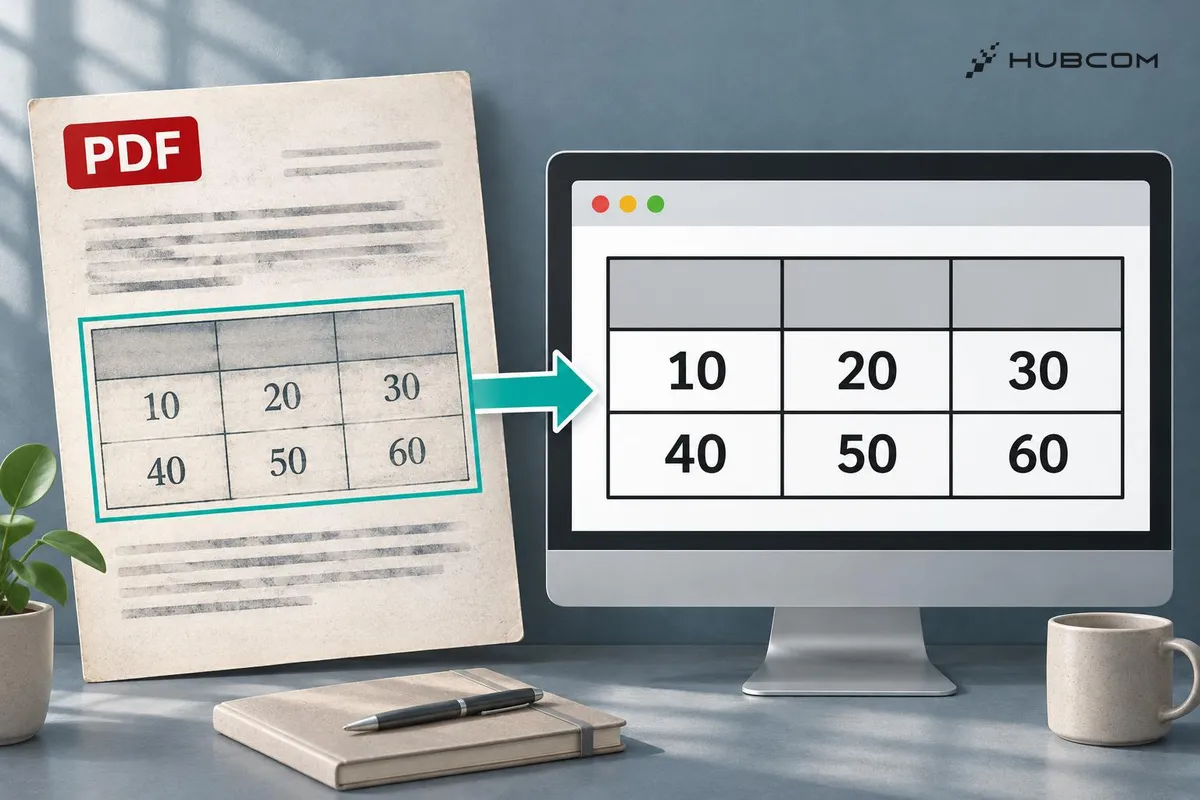
When you receive a price list as a scanned PDF, you need each amount and the column it belongs to. PaddleOCR's PP-StructureV3 pipeline detects the table region and exports results you can compare with the source page. PP-StructureV3 documentation
HubCom reviewed the documentation and public demo for PaddleOCR v3.7.0 on November 21, 2026. We have yet to run the exercise below or use this pipeline on a client project.
What does it solve?
- Get data out of a scan. Extract the table so you can inspect each value alongside its header and row.
- Separate the table from surrounding text. Results retain information about content regions for comparison with the original page. PP-StructureV3 documentation
Features
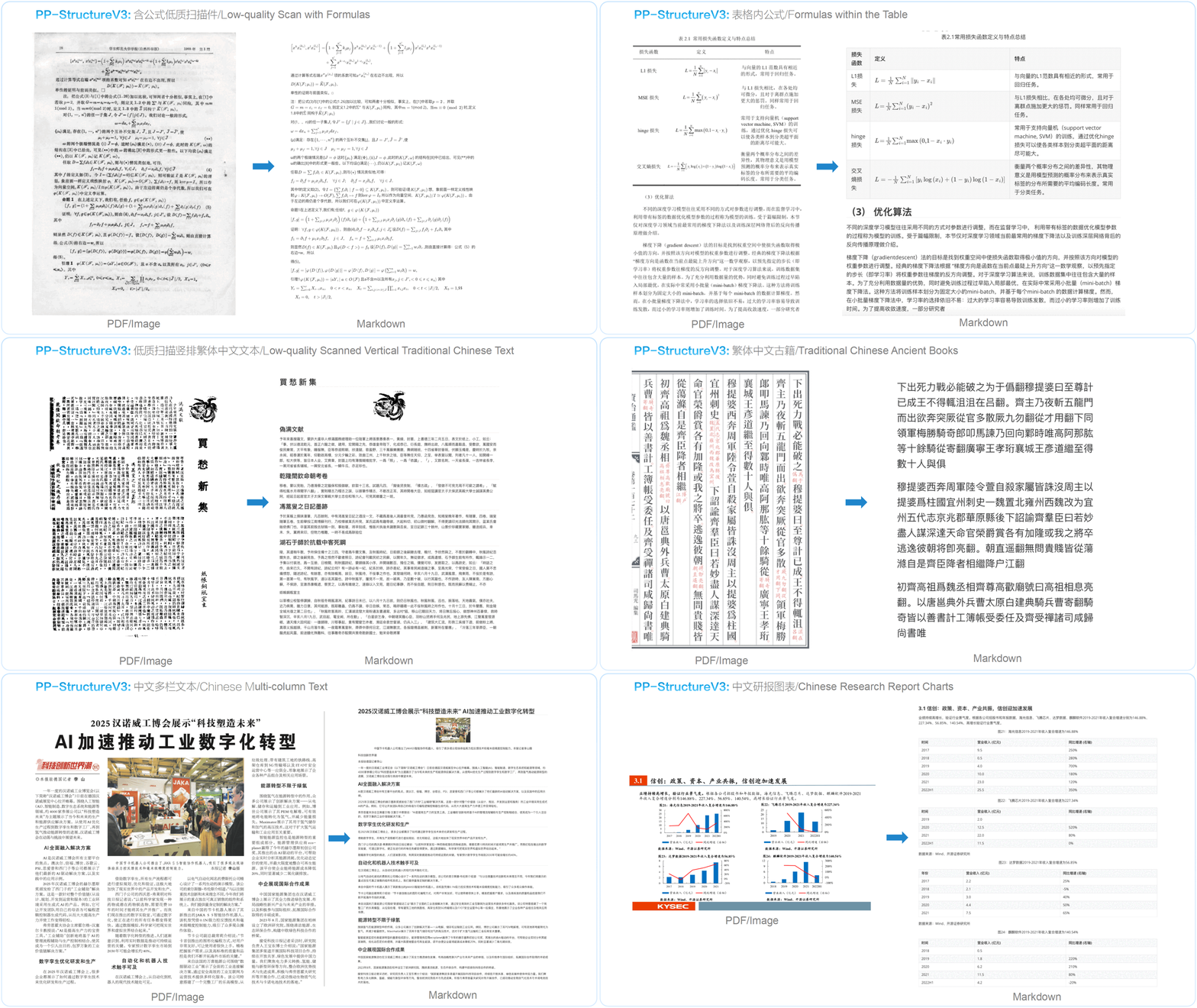
- Layout detection. The pipeline identifies regions such as headings, paragraphs, images, and tables.
- Markdown and JSON export. Open Markdown for a quick review. Use JSON to process the results in code. Output documentation
When to use it
Use PP-StructureV3 when scanned pages contain tables, multiple columns, or headings whose reading order matters. PaddleOCR also includes a general OCR pipeline for extracting text from a simpler image. README
What to watch for
- Install the right dependencies. Use Python 3.9 or later for the
doc-parsergroup and follow the PaddlePaddle instructions for your operating system. Install PaddleOCR · Install PaddlePaddle - Allow for the initial model download. The default setup fetches model files if they are missing locally. PP-StructureV3 documentation
Trial setup
Choose a one-page Vietnamese price list with product codes, quantities, and unit prices. Use a clear scan and record the expected values for a row whose code starts with 0. If you use an English price list, set lang="en" in the snippet. For a merged header, note which columns it spans.
Steps
- Install the pinned package. After setting up PaddlePaddle, run
python -m pip install "paddleocrdoc-parser]==3.7.0". [Installation guide - Run it on one page. Save the sample price list as
sample.pdfand run the Python snippet below to save Markdown and JSON. Python examples - Compare before processing a batch. Open the Markdown and JSON alongside the scan. Record any misread values or misplaced cells.
from paddleocr import PPStructureV3

pipeline = PPStructureV3(lang="vi", device="cpu")
for result in pipeline.predict(input="sample.pdf"):
    result.save_to_markdown("ocr-out")
    result.save_to_json("ocr-out")
Common mistakes
- A correct value lands in the wrong column. Check rows around merged cells or wrapped text.
- Leading zeros disappear from codes. Check the raw export, then preserve codes as strings when importing them elsewhere.
How to verify the result
- Count rows and columns. Compare headers, data rows, and merged cells with the scan.
- Check amounts and codes. Verify separators, leading zeros, and the column containing unit prices.
- Record cells that need human review. Use the error list to decide whether to try more pages with the same layout or improve the scan.
Out of scope
Extracting named invoice fields, batch processing, and model training.
Terms in this article (4)
- PaddleOCR
- A toolkit for recognizing text and parsing documents from images or PDFs.
- PP-StructureV3
- A pipeline for detecting layouts and extracting elements such as tables, text, and images.
- OCR
- Optical character recognition, which turns text in images into machine-readable text.
- Merged cell
- A table cell that spans more than one row or column.
Frequently asked questions
Can PP-StructureV3 read a scanned PDF directly?
The documentation supports PDF file paths as input. This exercise uses one page to make the output easy to compare.
Should I open Markdown or JSON first?
Open Markdown to review the layout. Use JSON when software needs to read elements and location information.
Sources
- PaddleOCR README, PaddlePaddle
- PaddleOCR v3.7.0, PaddlePaddle
- PP-StructureV3, PaddlePaddle
- PaddleOCR installation, PaddlePaddle
- PaddlePaddle installation, PaddlePaddle